Share an app with your family, friends or team
Invite the people the app is for. Everyone opens the same app, on the web and on iPhone.
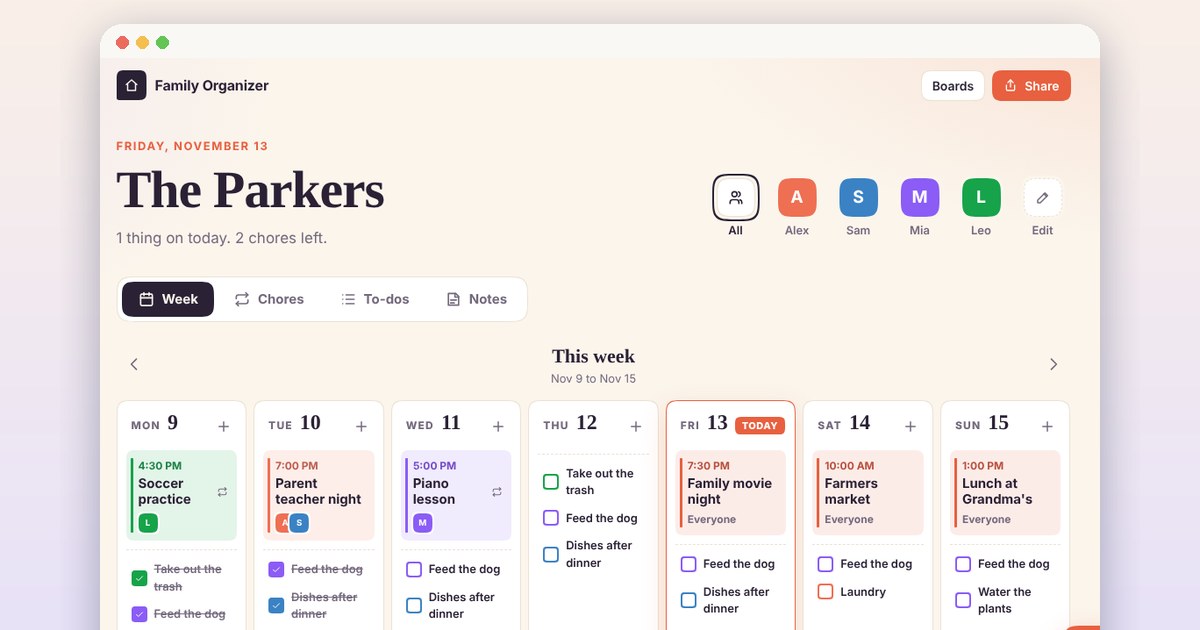
How sharing works
Invite your people
Install the app, open Share and choose Shared. Add people by username or email, or turn on an invite link.
Choose what each person can do
Can view lets someone look. Can collaborate lets them add and change what the app saves. You can remove anyone you added.
Use it together
What one person adds is there for the others, from a new chore to a dish for the potluck.
Apps people share
- Make an app for you and your friends: Make an app your friends, family, or team use together. Describe it, share the link, and everyone works in the same app.
- Make a chore chart app for your family: Make a shared chore chart for your family. Set who does each chore and on which days, and check off this week’s work.
- Make a free potluck sign-up sheet: Make a potluck sign-up sheet for Friendsgiving, Thanksgiving, or the office. Guests open one link, claim a dish, and see what is still missing.
- Free Secret Santa generator for your gift exchange: Draw Secret Santa names for a family, office, or friends' gift exchange. Keep couples apart, set a budget, and send each person a private link to their match.
- Free poker app to play Texas Hold'em with friends: Play Texas Hold'em with friends for play chips. Share a table code or practice against bots. Try Good Hands on this page, then make your own with iqobi.
- Make an app for your class, club, or team: Keep the schedule, the sign-ups, and who brings what in one app for your class, club, or team. Describe it and iqobi builds it.
Questions
Do the people I invite need an iqobi account?
Yes, to open a shared app. Anyone can make one with their email. They sign in with a code, so there is no password to make. A public app opens for anyone with the link, and signed-out visitors can only view it.
Can someone help me build the app?
Yes. Share your project in Studio, or let a member propose changes from Share. They build in their own copy and send you their changes, and you choose what to accept. The live app changes only when you update it.
Can I stop sharing?
Yes. Turn off the invite link so no one new can join, remove one person, or make the app private. When you share a private app again, the people on your list get it back. Its old invite link stays off, so turn on a new one to invite more people.
Does sharing cost extra?
No. Sharing an app costs nothing extra.